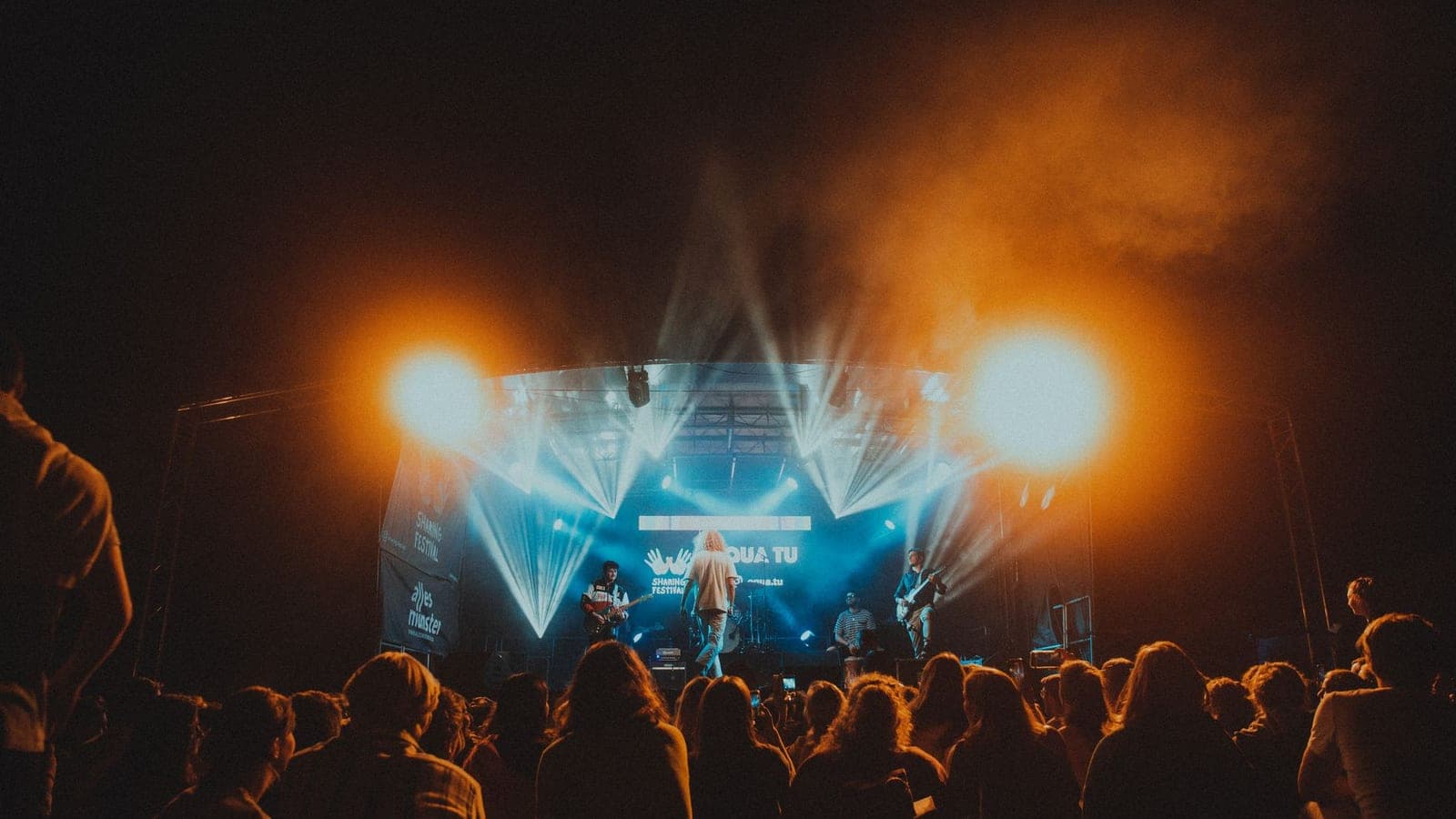
Your attendee has paid 45 euros for a ticket, driven an hour to the venue, spent twenty minutes looking for parking, and walked ten more to the door. They arrive with high expectations and low patience. The next sixty seconds, from the moment they see the access line until they get inside, will determine whether they start the night with excitement or with frustration. And frustration is contagious: an irritated attendee infects their group, their group infects the line, and the line infects the overall atmosphere of the event.
The attendee experience doesn't start when the first song plays or when the first session opens. It starts days earlier, with the purchase confirmation email, and it ends days later, with the memory that lingers and the decision to come back or not. Every point of contact between your event and the attendee is an opportunity to generate satisfaction or to detract from it. And the difference between an event that fills up by inertia and one that has to fight for every ticket edition after edition usually lies in the operational details that many promoters consider secondary.
In this guide we'll walk through every phase of the attendee experience, from pre-purchase communication to post-event engagement, with concrete actions you can implement without astronomical budgets. The goal isn't to invent anything new: it's to stop losing attendees to avoidable failures.
How should you communicate with attendees before the event?
The experience starts with the first point of contact, which for most of your attendees will be digital: an ad, a post, an email, or the purchase page itself. The way you communicate before the event sets expectations and determines whether the attendee arrives informed or arrives lost.
The confirmation email nobody reads (but should)
The purchase confirmation email is the second moment of peak attention for your attendee (the first was the decision to buy). It has a far higher open rate than any newsletter because the buyer is actively looking for their confirmation. And most promoters waste this opportunity by sending an automated email with a PDF attached and nothing more.
That email should include, in addition to the ticket: the exact date and time doors open, the venue address with a direct link to Google Maps, access instructions (which door, how to get there by public transport, where to park), what you can and can't bring (prohibited items policy), and a link to the event's practical guide. If all that information arrives at the moment of peak attention, you dramatically reduce questions on social media, emails to support, and confusion at the door.
The week before: a reminder with value
Seven days before the event, send a reminder that isn't a simple "remember you have your ticket for X on Saturday." Add new information that builds anticipation: the detailed schedule if you hadn't published it yet, a playlist with the artists who will perform, practical tips (bring sunscreen, there's a free water zone, the nearest ATMs are at such-and-such spot), or a map of the venue so the attendee can plan their experience.
This email has a second operational objective: reducing no-shows. A percentage of buyers forget they have a ticket, have an alternative plan, or simply lose motivation if they aren't reminded. A well-crafted reminder reduces no-shows by between 5% and 15%, which impacts the event's atmosphere (more people) and bar and merchandise revenue.
Last-minute communication: D-Day
On the day of the event, an SMS or push notification with the most operational information (doors open at 18:00, last entry at 23:30, road X closed, alternative route via Y) resolves last-minute questions and conveys control. If there's a schedule change, a partial cancellation, or a weather incident, this channel is your direct communication tool with the people already on their way.
Why does the digital ticket matter for the experience?
The ticket is the first tangible (or digital) object your attendee receives. Its design, format, and functionality say a lot about the professionalism of your event.
Dynamic QR vs. static PDF
A PDF ticket with a static QR code does the basic job, but it has limitations that affect the experience: the attendee may have trouble finding the original email on their phone, the PDF may not load well, and the static QR is vulnerable to fraudulent screenshots that generate fraud incidents at the door when two people show up with the same code.
Dynamic QRs (which regenerate periodically and are only valid through the buyer's app or wallet) eliminate these problems. The attendee accesses their ticket with a tap, the code is validated instantly, and the risk of duplication disappears. If you want to dig deeper into how to reduce access wait times, check out our guide on check-in without lines.
Digital wallet: the ticket always at hand
Integrating the ticket with Apple Wallet or Google Wallet transforms the access experience. The attendee doesn't need to search emails, download PDFs, or open apps: the ticket appears automatically on the lock screen as they approach the venue (thanks to geolocation). One tap, one scan, inside. That fluidity is perceived as professionalism and generates a positive first impression before they've even set foot in the venue.
Additional information on the ticket
The digital ticket is also a communication channel. You can include a link to the venue map, updated schedules, event rules, and a button for direct contact with support. All that information travels in the attendee's pocket without them having to search for it. And if you need to communicate a last-minute change, you can update the digital ticket and send a notification to the wallet.
How do you manage queues and access at an event?
Access is the moment of greatest operational tension and the one that has the most impact on the attendee's perception. A 5-minute line with clear information and constant movement is perceived as acceptable. A 5-minute line with no information, no visible movement, and no way of knowing whether you're in the right place is perceived as a disaster.
Designing the access lines
Avoid the single massive queue. Divide access into multiple short lines (each with its own validation scanner) that advance independently. Short lines give a sense of quick progress and reduce anxiety. If one line gets blocked (an attendee with a problem with their ticket, for example), the others keep working.
Clearly mark which line is for what: general admission, VIP, accreditations, guest list, will call (ticket pickup at the box office). If all the lines are the same, signpost it anyway so the attendee knows they can join any of them. Nothing generates more frustration than choosing a queue and watching the one next to it move faster without understanding why.
Staff in the queue: not just for validating
Access staff have two functions: validating tickets and managing the queue experience. The second is as important as the first. A team member who walks the line informing people of the estimated wait time, verifying that people have their ticket ready on their phone (so they don't go looking for it when they reach the scanner), and resolving basic questions reduces the perceived access time as much as a technological improvement.
At large events, consider having "pre-validators" who walk the line checking that tickets are correct before the attendee reaches the validation point. This detects problems in advance (ticket not found, wrong ticket, name that doesn't match) and prevents those problems from blocking the line when there are ten people waiting behind.
Staggered opening
If your event has different ticket categories, open access in phases. VIP first (you charged them more, they deserve privileged access), then general. If the capacity is very large, consider timed entry windows: attendees choose an entry slot (17:00-18:00, 18:00-19:00) and spread out over time. This reduces the access peak and improves the experience for everyone.
What do cashless payments add to the attendee experience?
Cash is slow, error-prone, and generates lines. Cards are faster but still require a card terminal and a stable connection. Cashless systems (NFC wristband, digital wallet, payment QR) eliminate the friction of payment and, along the way, generate consumption data you wouldn't have otherwise.
Advantages for the attendee
From the attendee's perspective, cashless has three clear advantages: speed (paying with the wristband takes less than a second), convenience (no need to carry a wallet or worry about losing money), and control (they can check their balance at any time from their phone). All three reduce friction at a moment (buying drinks and food) that repeats multiple times during the event.
Advantages for the promoter
As a promoter, cashless gives you data that cash never will: which products sell most at each bar, what time the consumption peak occurs, what the average spend per person is, what the relationship is between arrival time and total spend. That data feeds operational decisions (how many bartenders to put at each bar, how much beer stock to order) and commercial decisions (which sponsors are relevant for your audience based on what they consume).
To compare the available technology options, check out our guide on NFC wristbands vs. QR for events.
Balance management and refunds
The most sensitive point of cashless is the management of unspent balances. If the attendee loads 30 euros onto the wristband and only spends 22, the remaining 8 euros must be easily recoverable. A simple refund process (from the event app or via automatic post-event transfer) generates trust. An opaque process or one that requires filling out forms generates frustration and bad online reputation that affects the next edition.
The best practice is to offer an automatic refund of the unspent balance within 7 days of the event, without the attendee having to request it. You ask for the IBAN when they load the balance and, if there's any left over, you refund it without asking. It's a gesture that costs little and generates a lot of goodwill.
Food & beverage: more than a bar
The food and drink offering isn't an add-on to the event: it's a central part of the experience. An attendee who goes hungry, who waits 20 minutes for a beer, or who can't find options for their diet will stop enjoying the event regardless of how good the main content is.
Distribution of points of sale
Concentrating the entire food and drink offering in a single area is the most common mistake and the easiest to avoid. Distribute the points of sale around the venue to decentralize flows and reduce lines. If you have a main stage, place bars on both sides so the audience doesn't have to cross the whole venue when they want a drink.
Each point of sale should have service capacity proportional to the flow of the area where it's located. The bar closest to the main stage needs more staff and more stock than the one in the back corner, but the back corner one is still necessary for the attendees who are specifically looking to avoid the busiest area.
Variety and special options
Offer vegetarian, vegan, gluten-free, and halal options as standard, not as an exception. Not doing so in 2026 means alienating a growing percentage of your audience. They don't have to be half your menu: one or two options per category, clearly marked, are enough.
Service times
Measure the average service time at each bar and set an acceptable maximum (5 minutes is a good threshold). If a bar consistently exceeds that time, you need more staff, more service points, or a simpler menu that allows orders to be prepared faster. Food and drink lines are the main source of operational frustration at events, ahead even of access.
Connectivity: Wi-Fi, coverage, and phone charging
The phone is the attendee's extension. They use it to take photos, share on social media, check schedules, communicate with their group, pay (if you have mobile cashless), and find their car when leaving. If they have no battery or no connection, their experience degrades significantly.
Wi-Fi for events
Offering free Wi-Fi has a double benefit: it improves the attendee experience and generates free content for you (every photo shared on social media with your event's location is organic advertising). The cost of a temporary Wi-Fi installation for events has dropped notably, and for venues with a capacity of up to 5,000 people it's an affordable investment.
If you offer Wi-Fi, make sure it works. Wi-Fi that's slow or drops constantly is worse than offering no Wi-Fi, because it creates expectations it doesn't meet. Size the bandwidth for the number of simultaneous devices (estimate that 60-70% of attendees will try to connect) and prioritize social media traffic over heavy downloads.
Phone charging points
Charging points are a simple, cheap service that generates disproportionate gratitude. A few charging stations with Lightning and USB-C cables spread across rest areas resolve low-battery anxiety and keep attendees connected (and sharing content) for longer.
If you want to monetize them, you can offer fast charging branded by a sponsor. It's a simple activation for the sponsor (visibility during a moment of real attendee need) and a service for the attendee that they don't perceive as advertising but as help.
How do signage and wayfinding keep attendees from getting lost?
A lost attendee is a frustrated attendee. And in a large venue, with multiple zones and little lighting, getting lost is easier than it seems. Signage isn't decoration: it's operational infrastructure.
Venue map
Publish the venue map before the event (on the website, in the app, on the digital ticket) and place large-format printed copies at the entrances and information points. The map should show stages, bars, restrooms, first aid points, phone charging zones, rest areas, and emergency exits.
A good map has a visible "you are here" on every printed copy, easy-to-remember references (colors, numbers, icons), and can be read in low light. A bad map is a technical floor plan with names nobody knows and no orientation relative to where the attendee is.
Progressive signage
Use a progressive signage system: general directional signs at the venue entrance (stages to the right, bars to the left), zone signs as you get closer (Stage 1 at 100m), and point signs when you arrive (Restrooms, Bar 3, First Aid). Each level of signage is more specific than the previous one and guides the attendee without overloading them with information.
Information staff
Signage doesn't replace information staff, and information staff don't replace signage. You need both. Place staffed information points at the main entrances and at zone crossings. Information staff should know the venue, the program, the schedules, and the basic protocols (what to do if someone feels unwell, where the lost-and-found area is, how to contact security).
What should you do after the event to retain attendees?
The experience doesn't end when the attendee leaves the venue. What happens in the following 48 hours determines the memory that consolidates and the likelihood that they'll return for the next edition.
Thank-you email (with content)
Send a thank-you email within 24 hours of the event. Not a generic "thanks for coming," but one with content that prolongs the experience: official photo gallery, event playlist, summary video, highlights. This email has two functions: generating a positive memory that reinforces the intention to return, and generating shareable content that acts as organic marketing for the next edition.
NPS survey: measure to improve
Include in the thank-you email (or send it 48 hours later so as not to overwhelm) a short satisfaction survey. The classic NPS question ("on a scale of 0 to 10, how likely are you to recommend this event to a friend?") gives you an indicator that's comparable across editions. Add 3-4 specific questions about the aspects you're most interested in measuring (sound quality, access wait time, food offering, restroom cleanliness) and an open field for comments.
The typical response rate is 10-15% if the survey is sent within the first 48 hours. If you wait a week, it drops to 3-5%. Timing matters because the memory is fresh and the willingness to give an opinion is high.
Loyalty program
If you organize recurring events, a simple loyalty program (early access to ticket sales, repeat-attendance discount, exclusive area for regular attendees) turns one-off satisfaction into sustained loyalty. You don't need points or complicated apps: an email two weeks before the general sale saying "as an attendee of the previous edition, you can buy your ticket 48 hours before the general public" is a functional loyalty program at zero cost.
Post-event complaint management
Post-event complaints aren't a problem: they're information. An attendee who complains is telling you exactly what to improve. Respond to all complaints within 24 hours with a personalized reply (not a generic template), acknowledge the problem if it's legitimate, and explain what you're going to do so it doesn't happen again. An attendee whose complaint is handled well is more likely to return than one who never had a complaint.
Conclusion
The attendee experience is the sum of dozens of micro-interactions, most of which the attendee doesn't consciously perceive when they work but notices immediately when they fail. A smooth queue, a ticket that validates on the first tap, a bar that serves in under three minutes, a clean restroom, a sign that tells you where you are: none of that seems spectacular, but the absence of any of those elements ruins the night.
Your job as a promoter isn't only to program the event's content, but to design the complete experience from start to finish. From the confirmation email to the post-event survey, every point of contact is an opportunity to generate satisfaction or to lose an attendee who won't return. Platforms like Futura Tickets make the digital aspects of this experience easier (wallet tickets, fast validation, integrated cashless), but operational excellence depends on the decisions you make: how many bars you set up, where you place the restrooms, how you train your team, and what you do when something fails. The details are the event. If you're looking for data on attendee experience trends, Bizzabo's Event Marketing Report offers up-to-date industry benchmarks.